
Three AI tools for the job hunt, free with any course you enrol on: Resume review, Resume builder and Interview practice. You'll find them under Career Centre in the menu at the top of your account.
The three tools
Resume review (1): upload your CV, name the job you want, and get a score with the exact lines to change. How it works.
Resume builder (2): build a CV with your OBA certificates and their credential IDs dropped straight in, then download it as a PDF. How it works.
Interview practice (3): answer real questions for the role you want, out loud or typed, and get feedback on every answer. How it works.
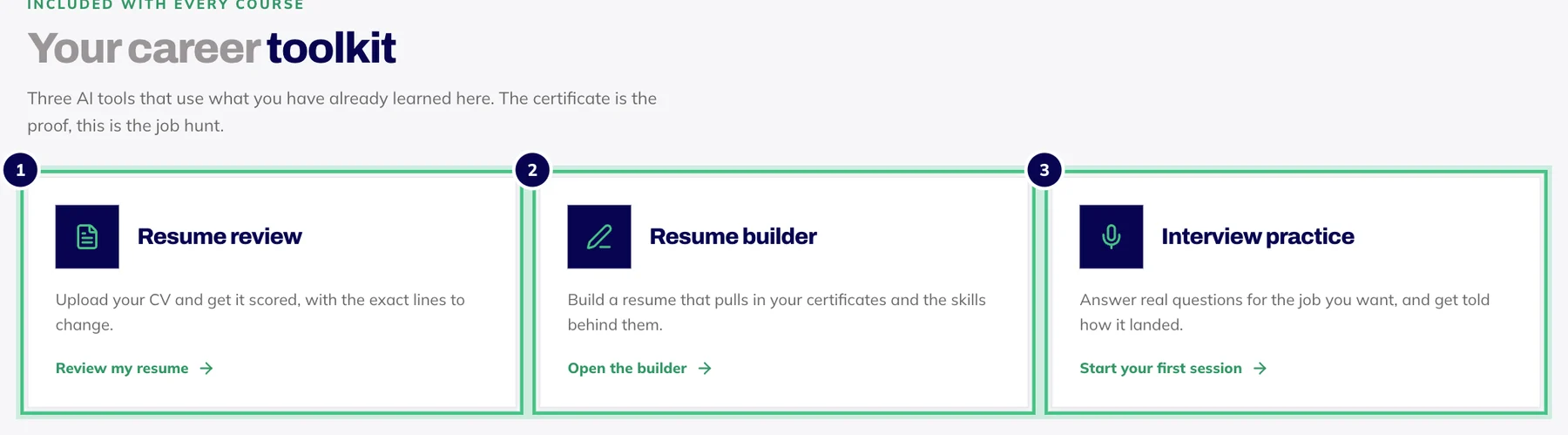
- Number 1: Resume review: upload your CV and get it scored.
- Number 2: Resume builder: a CV that pulls in your certificates.
- Number 3: Interview practice: answer real questions, get feedback.
Who can use it
Anyone who owns at least one OBA course. There is no extra charge and nothing to sign up for: enrol on a course and the tools open in the same account. Without a course, the Career Centre page explains that the tools come with any course and points you to the courses.
Your certificates do the heavy lifting
Because you learn here, the resume builder already knows what you've earned. Finish a course and its certificate appears in the builder ready to insert, credential ID included, along with the skills from the course. A course you're still working through can go on your CV marked as in progress.
Your data
Our privacy policy has the detail.
Your CV is only used to write your feedback. It is never shared, and our team has no way to open it.
Only you can see your interview recordings, and deleting a session deletes its recordings.
AI feedback is guidance, not careers advice, and it can miss context. Check anything that matters before you send it to an employer.