
Open Resume review in the Career Centre, drop in your CV and name the job you're going for. In about half a minute you get a score out of 100 and a list of fixes, each with the line to change.
Upload your CV
Open Career Centre and choose Resume review.
Type the job you're going for, as specifically as you can. The review is written for that role.
Drop your CV into the box, or browse your files.
Check the name, email and phone number we read from it, and the target role. Press Let me fix that to correct anything.
Press Yes, that's right. Scoring takes about half a minute.
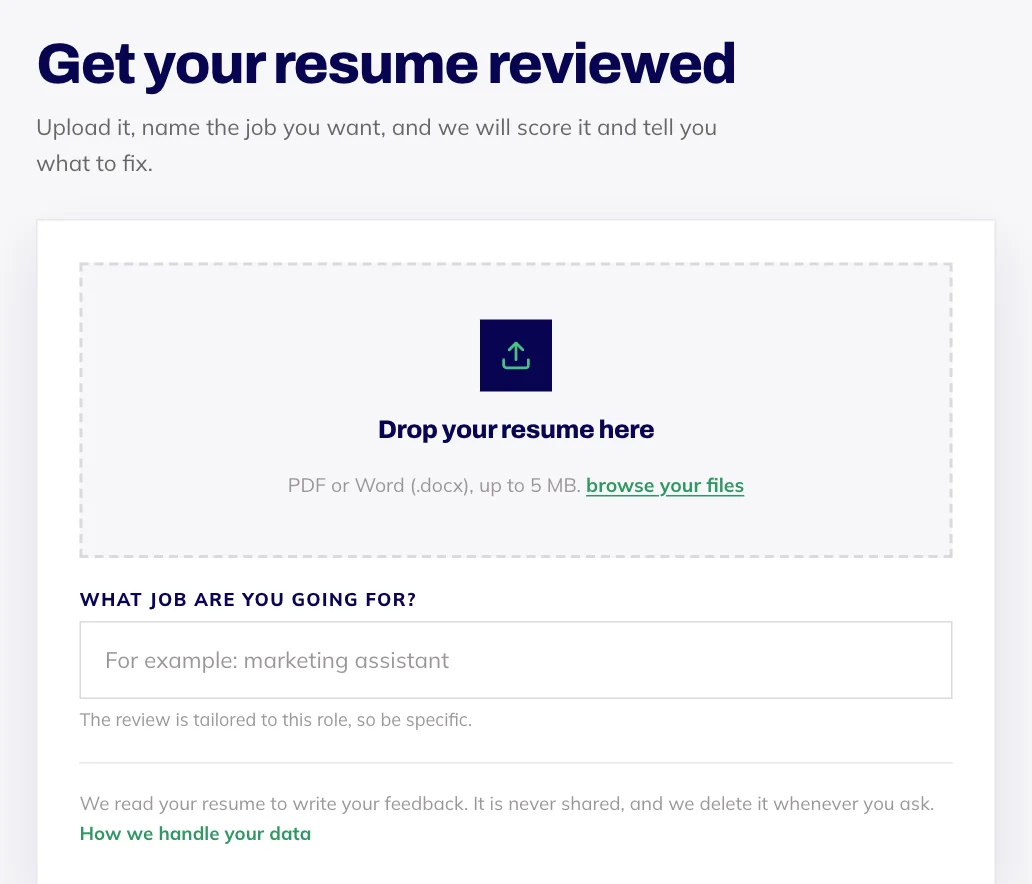
Use a PDF or a Word .docx file up to 5 MB. Older .doc files and scanned or photographed CVs can't be read, so save it as a PDF from your word processor first.
Reading your report
Your score sits at the top with a short summary. Below it are six areas, each scored: Content, Impact, Keywords, ATS readiness (how easily applicant tracking software can read it), Layout and Match to a job.
Each point is tagged Fix now, Worth improving or Looking good. Where it helps, you'll see what your CV says now and a better version to use instead. Press Mark as fixed as you work through them.
Made your changes? Re-scan after edits takes you back to upload the new version, and your new score shows how far it's moved.
Matching it to a real job
On the Match to a job tab, paste the text of a job ad and you'll see the skills you already have and the ones to add. Paste the text rather than just the link: we don't open links, so the text is what gets read.
Where an OBA course is genuinely the shortest way to close a gap, we'll suggest it. Often rereading the ad and rewording a line is enough, and that costs nothing.
Your CV stays yours
We read your CV to write your feedback. It's never shared, and our team has no way to open it. If you'd like an uploaded CV deleted, email hello@oba.uk and we'll remove it.
AI feedback can miss context, so treat it as a sharp second opinion rather than the final word.