
The OBA Tutor sits beside every lesson and knows the one you're on. It explains, gives hints and quizzes you, but it won't hand you the answer to a question, because it's never told what the answer is.
What it can do
It knows the lesson (1) and the step you're on, the lesson's notes and, on most video lessons, what was said in the video. Ask it anything in the box at the bottom (3), or tap a quick button:
Explain this differently, when the lesson's explanation hasn't quite landed.
Give me a hint, when you're stuck on a question.
Quiz me on this, to check it has stuck.
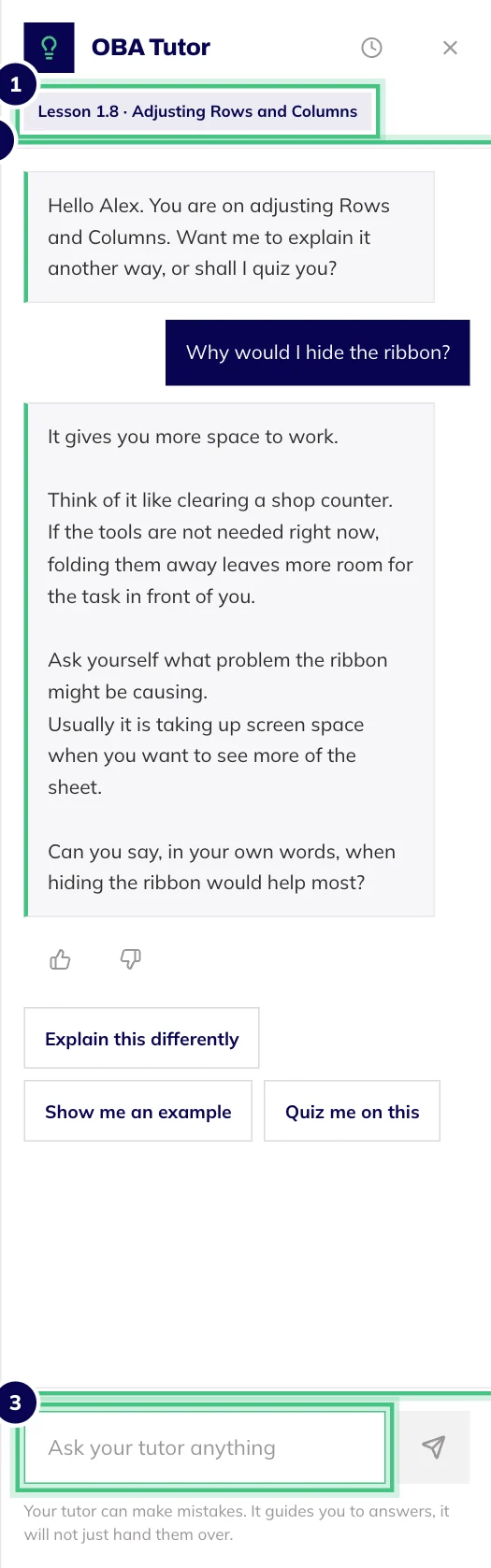
- Number 1: The lesson the tutor is helping with.
- Number 2: Your question, and the reply under it.
- Number 3: Ask anything about the lesson, or tap a suggestion.
After each reply it suggests two or three things worth asking next.
What it won't do
Give you the answer. It isn't told which option is right, so it can't hand it over however you ask. Ask outright and it will say so, then give you the next hint.
Mark your work. Checkpoints and the final assessment open on their own screen, without the tutor, and your certificate depends only on the assessment rule for your course.
Pretend to be a person. It's an AI and it can make mistakes. If a reply doesn't match what the lesson teaches, trust the lesson and press the thumbs down so we know.
Finding it, and your past conversations
On a wide screen it sits open on the right of the lesson player (3). Hide it or bring it back with the OBA Tutor button at the top; on a phone or tablet, the same button opens it.
Each lesson keeps one conversation, so coming back picks up where you left off. The clock icon at the top of the panel lists your past conversations by course, and tapping one takes you back to that lesson.
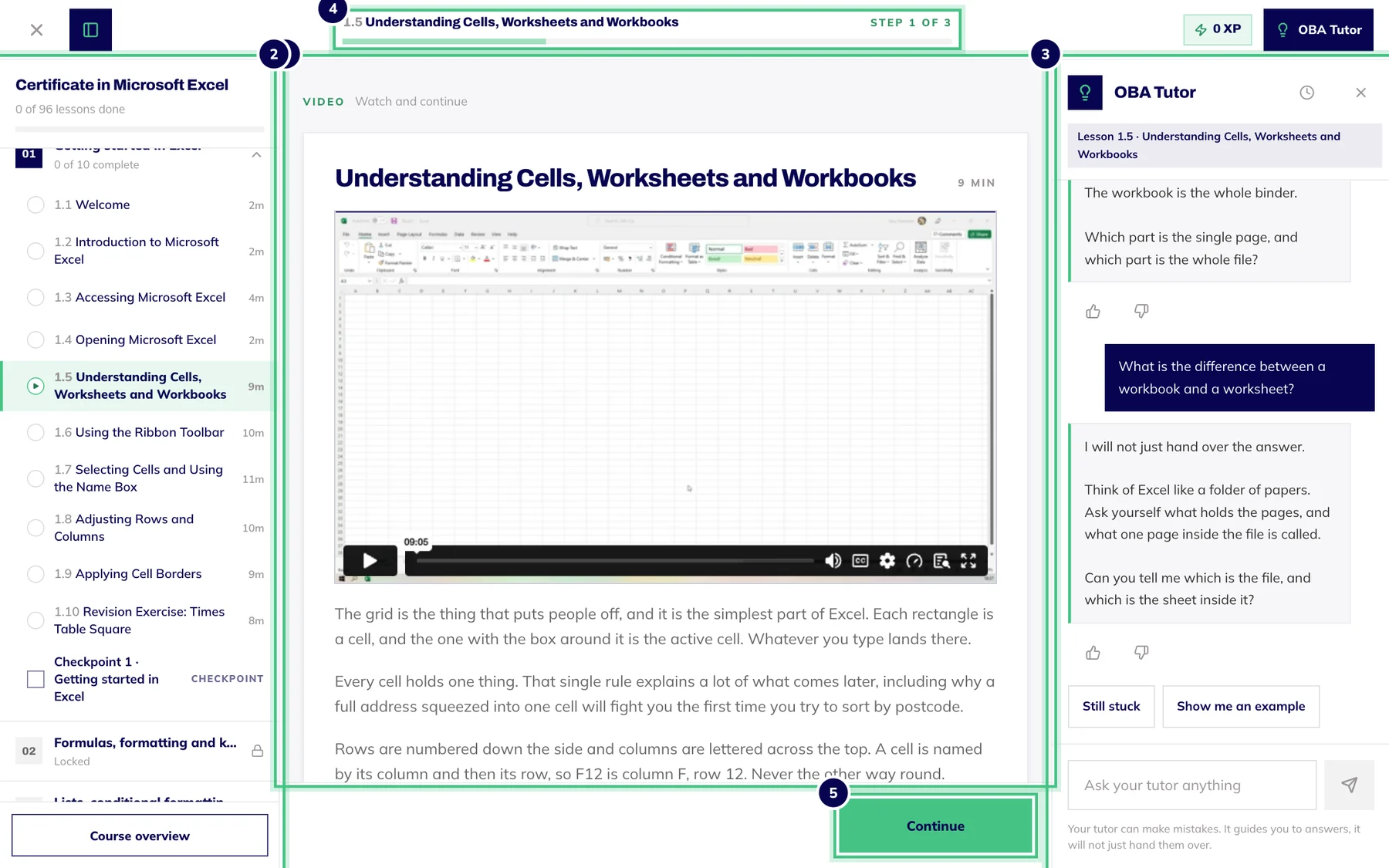
- Number 1: Course contents: every lesson and checkpoint. Hide it with the button at the top left.
- Number 2: The lesson: watch the video, read the notes, then Continue.
- Number 3: The OBA Tutor, which knows the lesson you are on.
- Number 4: Where you are in the lesson, step by step.
- Number 5: Continue moves you to the next step.
Asked a lot in a short space of time? The tutor will ask you to give it a minute. Wait a moment and carry on.
When you need a person
Your account, a payment or a problem with a course is one for the team. Email support@oba.uk. We reply within one working day.