
Open Interview practice in the Career Centre, tell it the role and level, and answer real questions out loud or by typing. When you finish, you get feedback on every answer and a stronger version to learn from.
Set up a session
Built a CV in the Resume builder? You can use it to personalise the questions, so you're asked about what you've actually done.
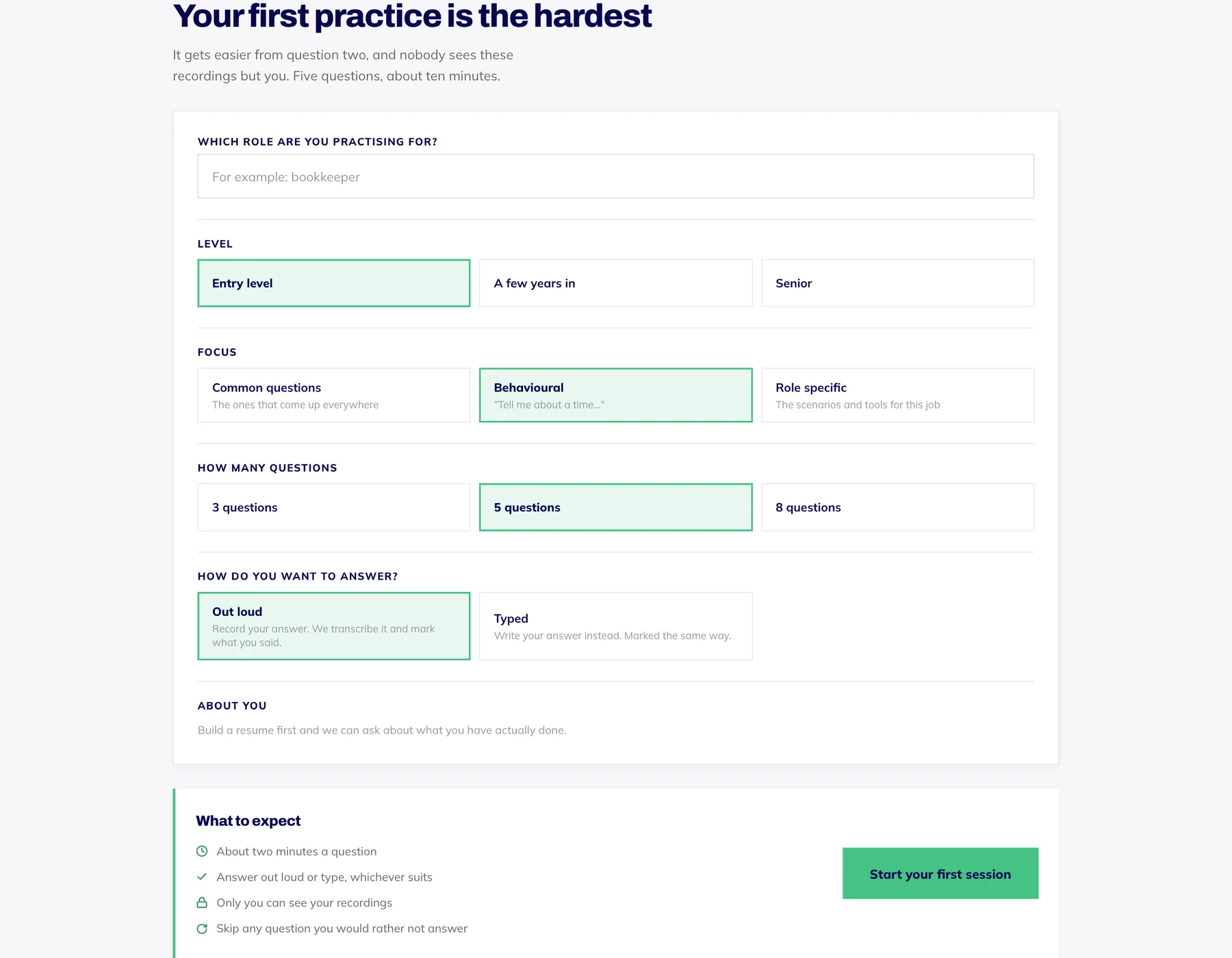
Open Career Centre and choose Interview practice.
Type the role you're practising for.
Choose your level: Entry level, A few years in or Senior.
Choose a focus: Common questions, Behavioural (the "Tell me about a time" kind) or Role specific.
Pick 3, 5 or 8 questions.
Choose Out loud or Typed, then press Start practice (Start your first session, the first time).
Answering
Out loud: press Start recording, answer as you would in the room, then press Stop and submit. We record your voice only, never video, then transcribe it and mark what you said.
Typed: write your answer and press Done, next question, which wakes up once you have written at least 15 words. Typed answers are marked the same way; the only thing you lose is the pacing score.
Allow about two minutes a question. You can skip a question, and once you've answered at least one you can press Finish and get feedback whenever you like. An answer is marked as soon as you submit it, so if you want another go at the questions, start a new session.
Microphone blocked? Click the padlock in your browser's address bar, set Microphone to Allow and reload. Or start a new session with Typed answers.
Your feedback
You get an overall score, plus clarity, pacing, filler words and relevance across the session. Then, question by question: your answer, how it did on structure, evidence and confidence, what worked, one thing to try, and a stronger version of your answer.
Every session goes into your practice history, so you can watch your score move over time.
Your recordings
Only you can see your recordings. Delete this session, at the bottom of a finished session's report, removes the session and its recordings straight away. There's no confirmation step and no way back, so be sure before you press it.