
Open Have a discount code? in the order summary at checkout, type your code and press Apply. The discount and your new total show straight away, before you pay.
Adding your code
Press Enrol now on the course or bundle you want.
Open Have a discount code? in the order summary. On a phone, the summary sits above the payment form.
Type your code and press Apply (1). Capitals don't matter.
Check the Discount line and the new total, then carry on and pay.
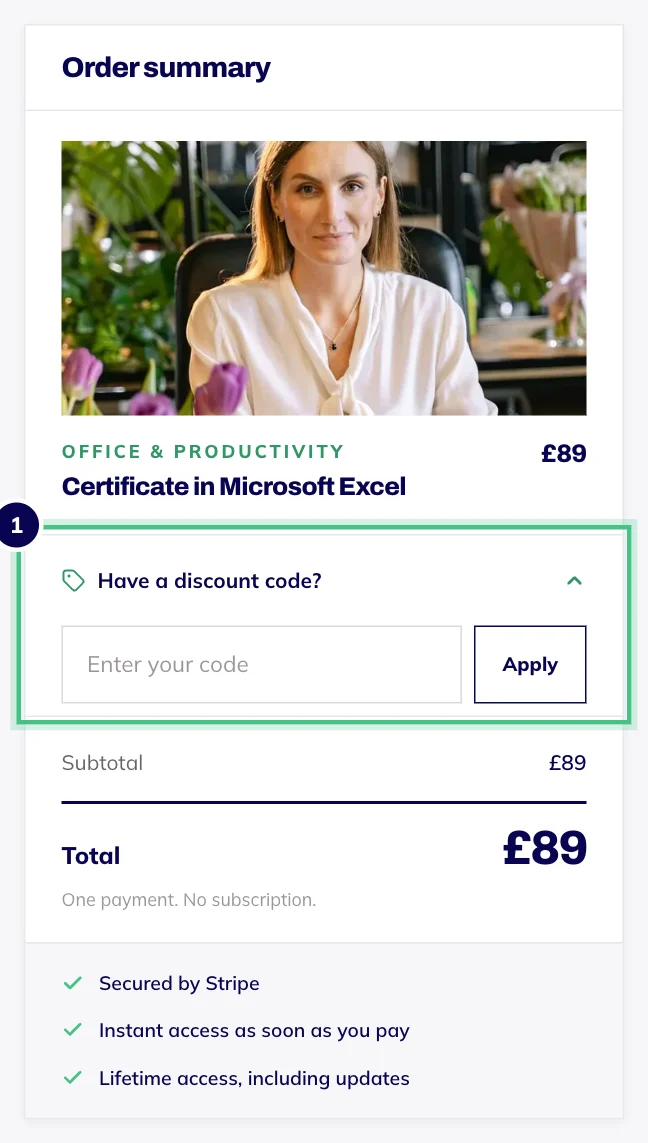
- Number 1: Type your code and press Apply. The total updates before you pay.
Add your code before you fill in the rest of the checkout. The page refreshes with the new total, and you may need to type your details again.
If the code doesn't work
The message under the box tells you why:
We don't recognise that code: check for a typo, like a zero where there should be a letter O.
That code has expired, or that code is not live yet: it only works between certain dates.
That code has been fully used: it had a limited number of uses, and they've gone.
That code is no longer active: it has been switched off.
A message saying the code doesn't apply, or that you're below its minimum: some codes only work on particular courses, or above a certain spend.
Good to know
One code per order. Applying a new code replaces the last one, and Remove code takes it off.
A code has to be applied before you pay. If you have already paid and think a code should have applied, email hello@oba.uk with your order number.