
The Progress page in your account shows your lessons finished, hours studied, streak and certificates, plus the topics due for a review. Each course home has its own progress ring too.
The Progress page
Open Progress from the menu at the top of your account (on a phone, it's in the menu under your initials). Here's what it shows:
Your totals (1): lessons finished, hours studied, your current streak with your best, and certificates earned. Hours studied adds up the time you spent in the lessons you finished.
Lessons finished each week (2), over the last eight weeks. Course by course, underneath, shows how far through each course you are.
This week (3): the days you studied, against your weekly goal. Recent activity, under it, lists the lessons and checkpoints you finished lately.
What you are due to review (4): topics from your lessons that are due a refresh.
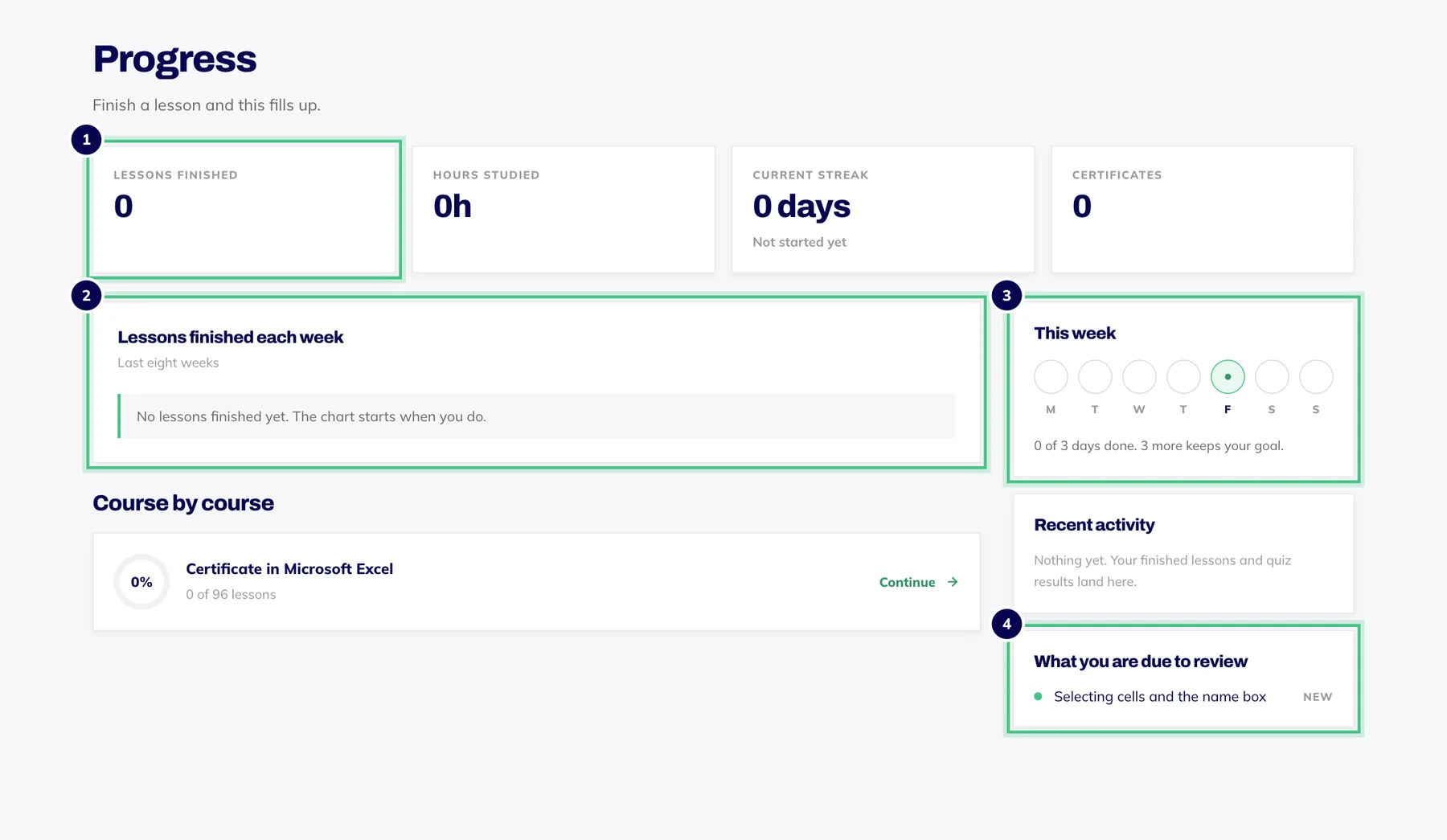
- Number 1: Your totals at a glance.
- Number 2: Lessons finished each week.
- Number 3: Your weekly goal for this week.
- Number 4: Topics due a quick look again, with how well you know each.
Your streak and weekly goal
Finish a lesson or pass a checkpoint and that day counts towards your streak and your weekly goal. Miss a day and your streak doesn't end on the spot: up to two missed days a week are covered for you, and that allowance starts again every Monday. A longer break starts the count again from one.
Your weekly goal comes from the weekly target you chose when you first logged in: Casual is two study days a week, Steady three and Serious five. To change it, press Edit beside Weekly goal on your dashboard, or go to Weekly target on the Profile tab in settings.
Reviews that help it stick
What you are due to review lists topics from lessons you've finished and questions you've answered, each labelled new, building, steady or strong. Every time you get a topic right, the gap before it's due again grows, from a day up to about five weeks. Get it wrong and it comes back sooner.
To refresh one, open a lesson that covers it from your course home and press Redo. Answering its questions again moves the topic along. Flashcards work the same way: Knew it pushes a topic back, and Review again brings it forward.
Progress on your course home
Each course home has a ring (1) showing how far through the course you are, counting the lessons you have finished and the checkpoints and final assessment you have passed. Beside it, Start or Resume (2) always takes you to your next lesson.
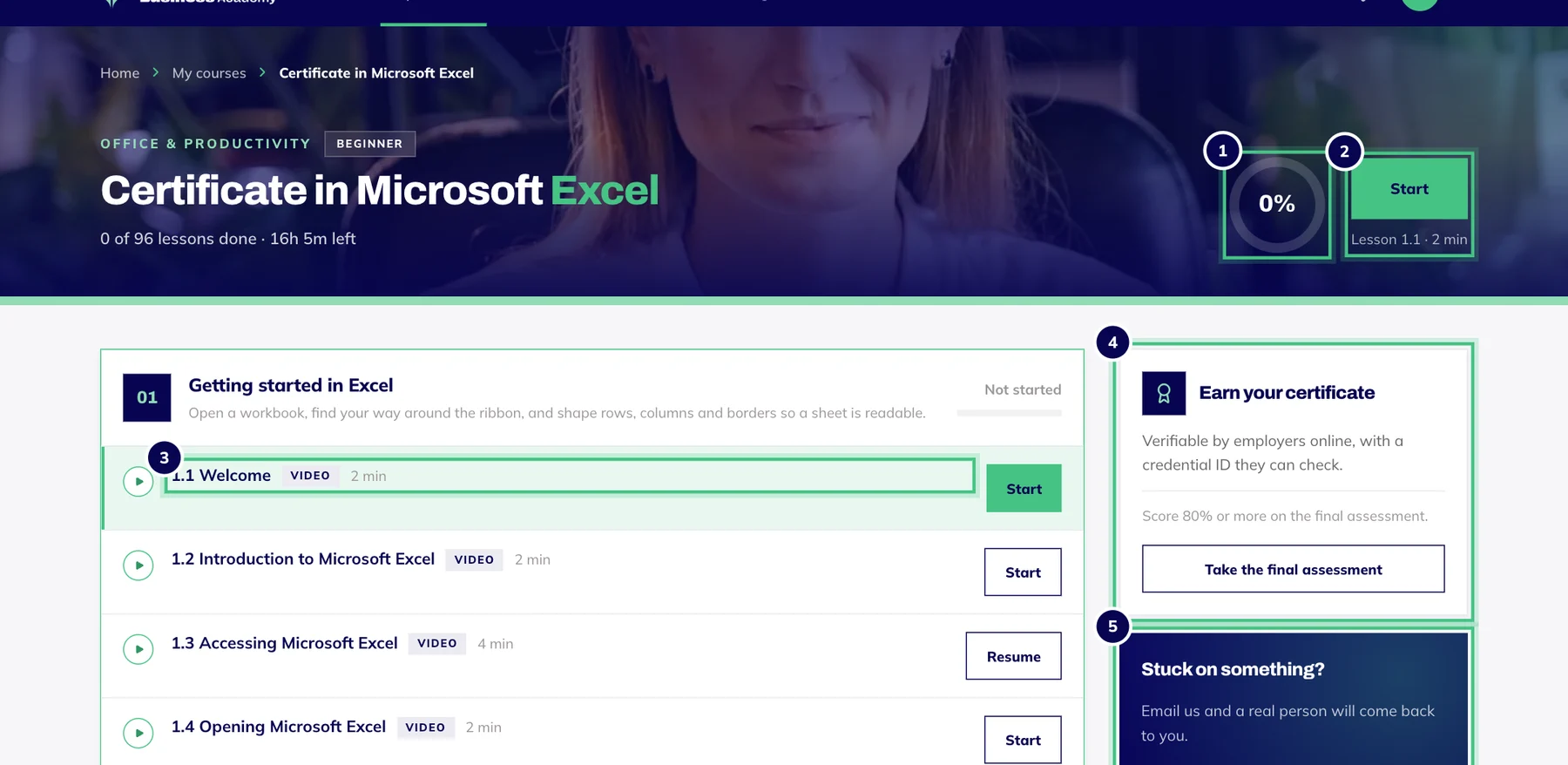
- Number 1: How far through the course you are.
- Number 2: Start or continue: always takes you to your next lesson.
- Number 3: Modules and lessons. A video badge marks a video lesson.
- Number 4: What it takes to earn your certificate, and the button for the final assessment.
- Number 5: Stuck? This gets you to a real person.