
Before you earn a certificate, set the name in Account settings under Name on your certificates. Already earned one? Open it from your Certificates page and correct the name there: the PDF updates straight away.
Before you earn a certificate
Leave it blank and we use the name on your account. It's worth a quick check before you sit a final assessment, which is why it's one of the getting started steps on your dashboard.
Open the menu from your initials at the top right and choose Account settings.
On the Profile tab, type your name in Name on your certificates (2), exactly as you want it printed.
Press Save changes.
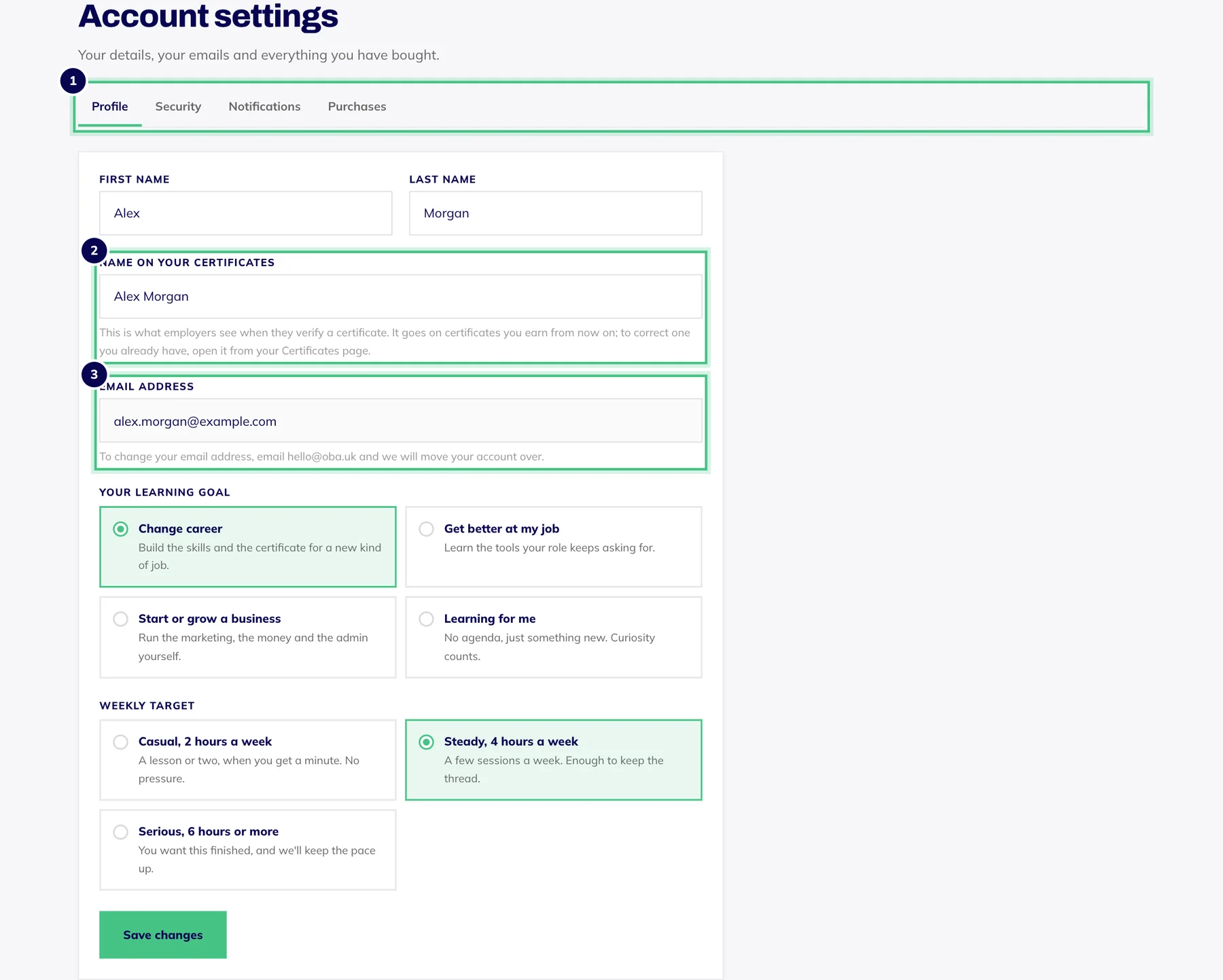
- Number 1: The four tabs: Profile, Security, Notifications and Purchases.
- Number 2: Name on your certificates: exactly as it should print.
- Number 3: Your email address. To change it, email hello@oba.uk.
After a certificate is issued
We regenerate the PDF there and then, and the public page and the verify page show the new name straight away. Your credential ID doesn't change, so any link you've already shared keeps working. A PDF you downloaded before the change still shows the old name, so download it again.
Each certificate keeps its own name, so if you have more than one, correct each of them. Changing the name in Account settings only affects certificates you earn after that.
Go to Certificates and press View certificate (2) beside the course.
Under Name on your certificate, correct the name.
Press Save name.

- Number 1: Download PDF saves your certificate to print or attach.
- Number 2: View certificate opens its own page, with the PDF, the name on it and the public link to share.
- Number 3: Your credential ID: employers type this into the verify page.
If it won't save
A name on a certificate can be up to 80 characters.
If your name uses letters our certificate fonts can't print, the form tells you which ones. Use the spelling you'd put on an English-language CV.
A withdrawn certificate can't be edited. If you think it was withdrawn by mistake, email hello@oba.uk.
This is for putting your own name right. If anything else on a certificate looks wrong, such as the course or the date, email hello@oba.uk and we'll look into it.