
On our video courses, each lesson is a video with written notes and a few key points under it, and many end with a question. No practice files come with these courses: where a video mentions one, the notes give you a way to do the exercise without it.
What a video lesson looks like
The video and its notes (2) fill the middle of the lesson, with the video's length beside its title. The written notes go over what it covers, and a few short boxes sum up the key points. Press Continue (5) when you're ready to move on.
The notes also keep the course honest. Where software has changed since a video was recorded, or a video gets a detail wrong, the notes say so and give you the right version.
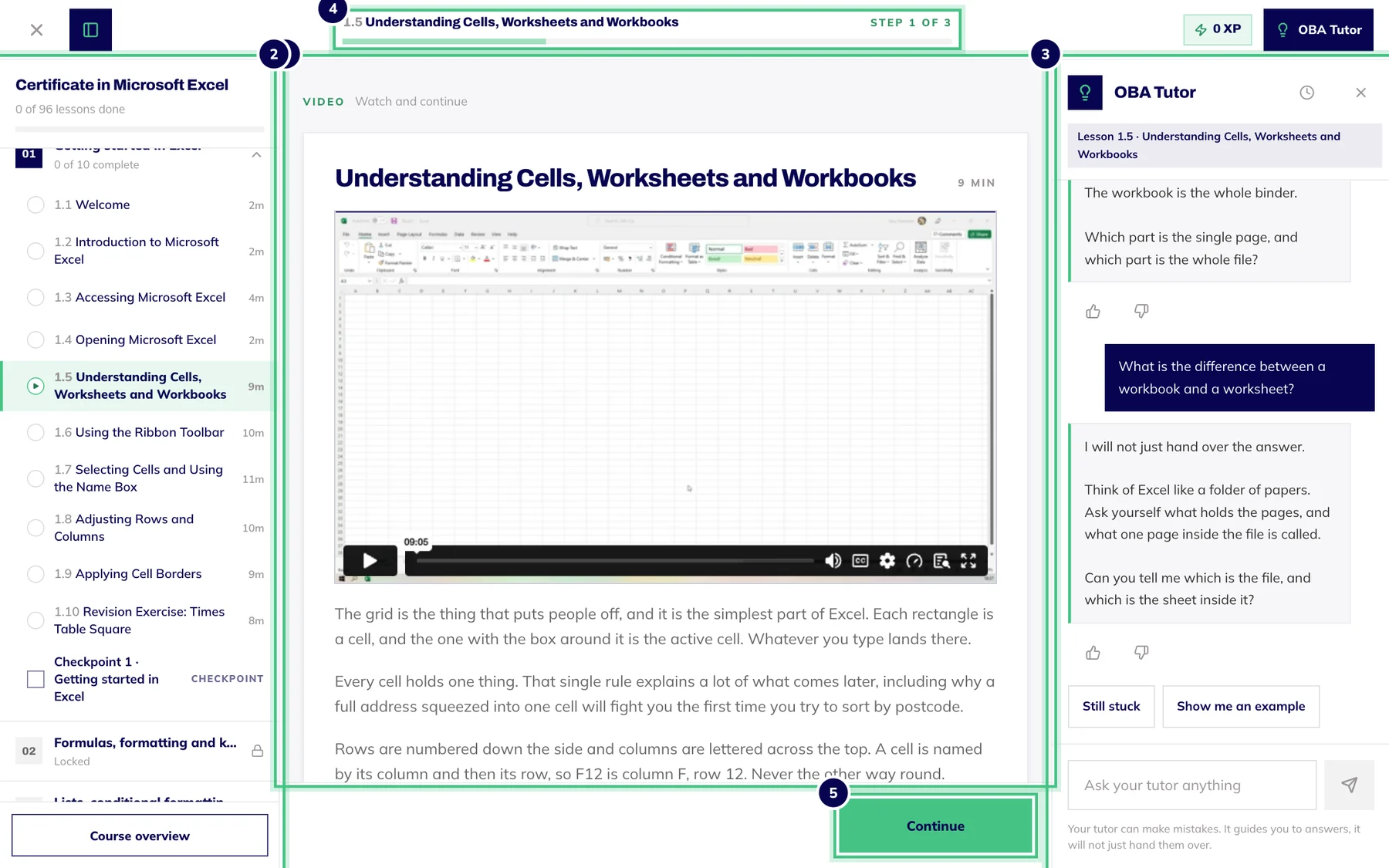
- Number 1: Course contents: every lesson and checkpoint. Hide it with the button at the top left.
- Number 2: The lesson: watch the video, read the notes, then Continue.
- Number 3: The OBA Tutor, which knows the lesson you are on.
- Number 4: Where you are in the lesson, step by step.
- Number 5: Continue moves you to the next step.
Watching the videos
Use the video player's own controls to play, pause and go full screen. If you see a CC button, you can switch captions on for that video.
Long recordings are split into parts, marked Part 1 of 3 and so on, with questions in between so they don't all land at the end.
Watching doesn't earn XP, and we don't track how much of a video you watch, so Continue is there whenever you're ready.
The OBA Tutor has been given what is said in most of the videos, so you can ask it to explain a moment again in different words.
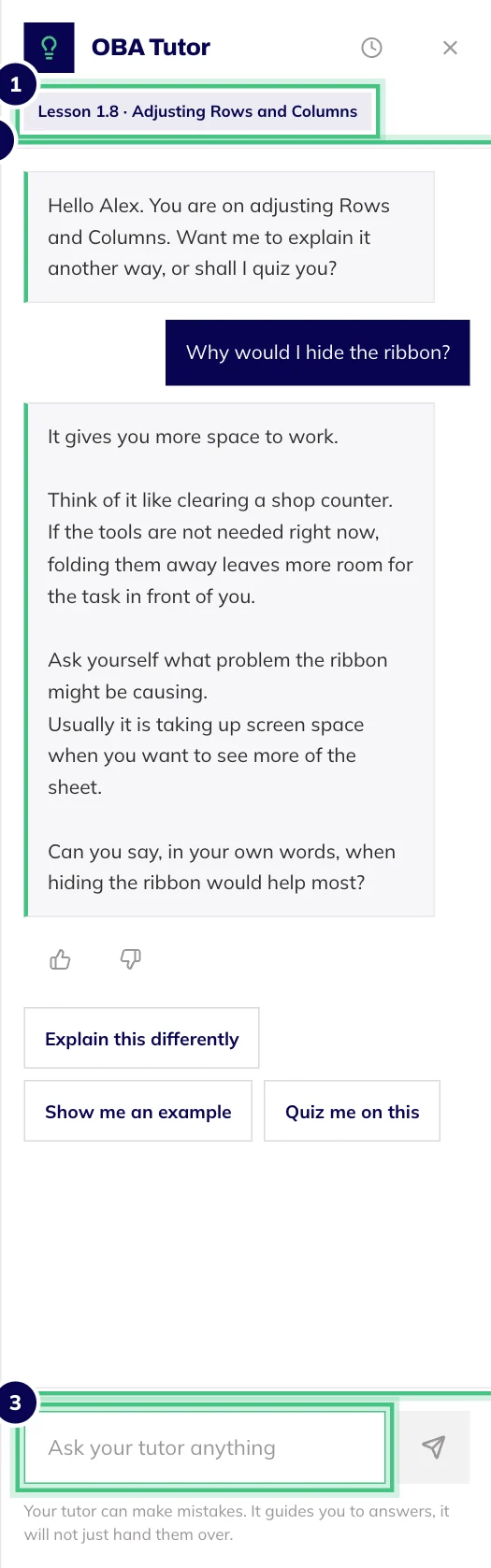
- Number 1: The lesson the tutor is helping with.
- Number 2: Your question, and the reply under it.
- Number 3: Ask anything about the lesson, or tap a suggestion.
Lessons that are video only for now
A few lessons show this note under the video: "Written notes and practice for this lesson are being added. For now, the video is the lesson." Nothing is broken. Watch it, press Continue and carry on. It doesn't hold up your certificate, which depends on the final assessment.
Practice files
No practice files or resource packs come with our video courses. Some videos mention one, because they were recorded with one in mind. Where that happens, the notes say so and suggest a free route, usually your own files or the software's built-in library.
So there's no need to email us for the files: there aren't any to send. If a lesson leaves you stuck without one, though, tell us at hello@oba.uk and we'll help.